Consumer

Secure remote access for personal use.

Starts at $29.50/year $22.12 First year

SOHO

Securely access all your work devices.

Access 10 computers

Team

Remote access for IT and other business teams.

Access 50 computers

Enterprise

Remote access for organizations and businesses.

Access 100 computers

HelpDesk

Fast, simple remote desktop and mobile support with unlimited technicians and computers.

SAVE UP TO 90%*

Starts at $99.50/year $9.95 First year

  • Consumer Secure remote access for personal use.

    SAVE UP TO 50%*
    Starts at $29.50/year
    $22.12First year
    Get Started
  • SOHO Securely access all your work devices.

    Unlimited user licenses,
    access 10 computers,
    remote file access

    Get Started
  • Team Remote access for IT and other business teams.

    Unlimited user licenses,
    access 50 computers,
    remote file access

    Get Started
  • Enterprise Remote access for organizations and businesses.

    Unlimited user licenses,
    access 100 computers,
    schedule remote access

    Get Started
  • HelpDesk Fast, simple remote desktop and mobile support with unlimited technicians and computers.

    SAVE UP TO 90%*
    Starts at $99.50/year
    $9.95First year
    Get Started
Secure Work from Home, Remote access for Schools, IT Support

Switch to the best multi-computer
cloud backup and storage

RemotePC

Cloud Applications Backup

Automated backups and ransomware protection
for your Microsoft Office 365 and
Google Workspace data

RemotePC

RemotePC helps you...

Connect

To your remote computer from anywhere. Access PCs, Macs, Linux machines from any device natively or browser.

Know more

Control

Easy remote desktop management including remote file transfer and document printing.

Know more

Collaborate

Connect to your associates and collaborate on presentations, or documents, with temporary access to your remote computer.

Know more

File Transfer

Hassle-Free Work From Home with Secure Remote Access and File Transfer

March 16, 2026

Picture this: You're working from home and suddenly need an important document that's saved on your office computer. With a meeting about to start, you don't have time to ask someone to send it. Situations like this are common when files are spread across multiple devices.

With a reliable remote desktop access solution like RemotePC, accessing your files from a remote computer becomes simple and secure. You can connect to your office or home system anytime and quickly transfer the files you need without interrupting your workflow.

RemotePC allows seamless file and folder transfers between your local and remote computers, including mapped drives. As long as you have an active internet connection and the RemotePC application installed on the computer being accessed, you can move files securely between devices in seconds.

Key Remote Desktop Access Features

  • Military-Grade Security - RemotePC secures all remote access sessions and file transfers using TLS v1.2 / AES-256 encryption, ensuring your data stays protected during every connection.
  • Instant Remote Access - Quickly collaborate with colleagues by sharing a unique one-time Access ID and Key, allowing them to connect to your remote computer securely when needed.
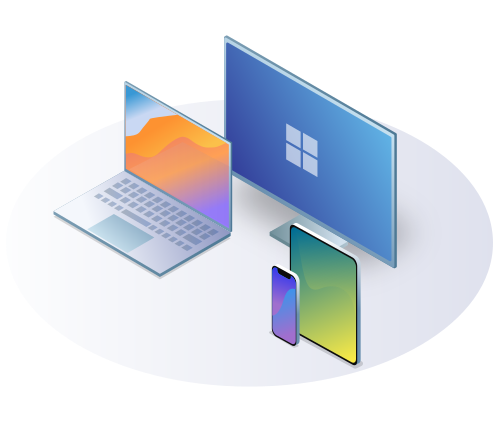
  • Platform Independence - Access your remote desktop from almost anywhere. RemotePC supports Mac, Windows, and Linux computers, and lets you connect from devices running macOS, Windows, Linux, iOS, or Android.

Additional Remote Desktop Features

  • Web Access - Use RemotePC Viewer Lite to access your configured remote Macs and PCs directly through a browser, anytime and from anywhere.
  • Multiple Screen Viewing - Easily switch between multiple monitors on your remote computer using the Switch Monitor option, or view all screens simultaneously.
  • Session Recording - Record your remote desktop sessions and save the recordings on your local PC or Mac for later review.
  • Remote Printing - Print files stored on your remote computer directly to your local printer without transferring the files first.
  • Whiteboard - Collaborate visually by drawing or highlighting directly on the remote screen during live sessions.
  • Chat and Sticky Notes - Communicate securely with users on the remote end using the Chat feature or leave reminders with Sticky Notes on the remote screen.
  • Lock - Protect privacy by locking the host computer's screen during a session or automatically locking it once the remote access session ends.

Administrators of Enterprise accounts can also enable or disable the file transfer feature for all users connected to their account, providing additional control over remote desktop usage.

Sign up for RemotePC today to simplify remote work, securely access your remote computer, and keep your files within reach wherever you are.

RemotePC Team and Enterprise are now used by many Fortune 500 companies

"RemotePC (Remote Desktop) is an affordable service for remotely accessing another person's computer. It performs well, especially between Windows machines, and its business plans cost much less than the competition."
Justin Pot, PCMag.
May 2024

"IDrive's RemotePC not only offers excellent remote control of your desktop (even of Android devices!), it can also leverage the company's online storage service (extra) for backup. Fast and feature-rich with multiple-OS support, there's also a meetings (Zoom, Skype, etc.) facility for only $10 a year."
Jon Jacobi, PCWorld.
July 2022

"A top remote support choice for larger organizations, with easy cloud management and great security." Dave Mitchell, ITPro. April 2023

"RemotePC (Remote Desktop) is an affordable service for remotely accessing another person's computer. It performs well, especially between Windows machines, and its business plans cost much less than the competition." Justin Pot, PCMag. Aug 2022

"RemotePC is one of the most affordable remote desktop programs on the market, but you shouldn't let its low prices fool you—it's packed with advanced features and is among the best options available." Daniel Blechynden, ITProPortal. Feb 2022

"RemotePC is feature-rich and affordable, and getting started is easy, whether you're an individual or part of an enterprise." Caleb Clark, Digitaltrends. Jan 2021

"For businesses needing a comprehensive solution that is easy to implement and access, we recommend Remote PC by IDrive." Skye Schooley, Business.com. Sep 2020

"Simple, secure and effective cloud-hosted remote support at an unbeatably low price." Dave Mitchell, ITPro. Aug 2020

"IDrive provides its RemotePC software across a spectrum of business types, from individual consumers through small businesses and teams up to enterprises." Keith Shaw, COMPUTERWORLD. May 2020

"Best remote desktop software of 2020: Paid and free choices for businesses." Daniel Blechynden, TechRadar. Apr 2020

"RemotePC is fast, secure, and easy-to-use remote desktop software, with lots of features, an affordable price-tag, and easy scale-ability that businesses will appreciate." Christian Rigg, TechRadar. Mar 2020

"You can then securely log on to the computers from the comfort of home, which is super handy if you're remotely working." Elyse Betters-Picaro, ZDnet. Mar 2020

"RemotePC is a versatile platform, for individuals, SMBs, mid-range companies, large enterprises." Chris Preimesberger, eWEEK. May 2019

"Effortless, simple interface with a flat learning curve. Fast performance. Easy file transfers between local and remote desktops. Inexpensive."
Edward Mendelson, PC Magazine. Apr 2018

SIGN UP NOW